Estate Planning Series Now Live! Educational Guides & Downloadable Resources: Explore The Series → New Civic Guide & Download: Georgia Voters: How to Check Your Registration Status Get Started → New: Homeowner Financial Guidance on Property Taxes & Homestead Exemptions Learn More →

Category: Community & Civic Resources

  • Georgia Voters: How to Check Your Registration Status

    Georgia Voters: How to Check Your Registration Status

    Georgia Voters: How to Check Your Registration Status — and Why It Matters


    A simple, non-partisan guide to help Georgia residents verify their voter registration information using official state resources.

    Public Service Guide — Georgia Civic Resource

    Educational & Non-Partisan


    Who this guide is for:
    Georgia residents who want to confirm their voter registration information and make sure their details are accurate before an election.

    What this guide does:
    This resource explains how to check your voter registration using Georgia’s official My Voter Page.

    What this guide does NOT do:
    This guide does not collect voter information and links only to official Georgia state resources.
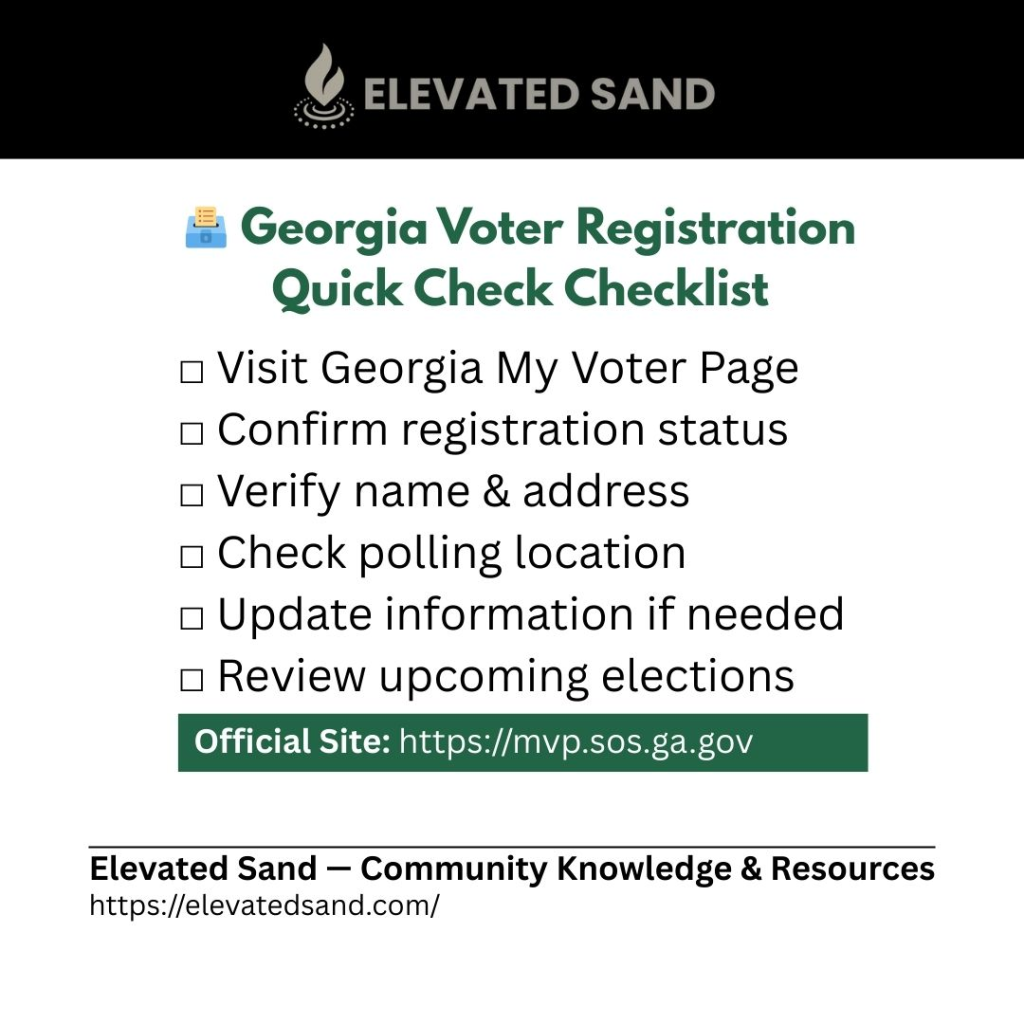
    📌 Quick Steps at a Glance

    1. Go to the Georgia My Voter Page
    2. Enter your identifying information
    3. Review your voter details
    4. Use the Update Voter Information option if changes are needed

    📌 Why Checking Your Registration Matters

    Many voters assume their registration stays the same once they sign up. In reality, voter records are updated periodically, and personal information such as addresses or districts may change over time.

    Checking your registration periodically is a simple best practice that helps ensure your information is accurate and ready before election day.

    📌 Step-by-Step Guide:

    Step 1 — Visit the Official Georgia My Voter Page

    This is the official tool Georgia residents use to verify voter information.

    Step 2 — Enter Your Information

    • You will be asked to enter basic identifying details, such as:
      • Name
      • County
      • Date of birth

    Once submitted, your voter profile will appear.

    Step 3 — Review Your Registration Information

    • Check that the following details are correct:
      • Registration status
      • Name and address
      • Polling location
      • District information

    Confirm that everything matches your current information.

    Step 4 — Update Information If Needed

    • If anything is incorrect, select the Update Voter Information option on the page.

      You can use this option to:
      • Update your address
      • Correct personal information
      • Make other voter record changes

    Updating early helps avoid issues closer to election day.

    📌 What You’ll See on Georgia MVP

    In addition to your registration status, the My Voter Page provides helpful voter tools, including:

    • 📍 Assigned polling location
    • 🗳 Early voting locations and drop box information (when available)
    • 🪪 Option to request your precinct card by email
    • 📅 Notifications about upcoming elections and eligibility
    • 📊 Voting participation history
    • ☎ Contact information for your county registrar

    These tools help you confirm your information and stay informed about local voting details.

    📌 How Often Should You Check?

    As a best practice, check your voter registration:

    ✔ At least once per year
    ✔ After moving
    ✔ After changing your name
    ✔ Before major election cycles
    ✔ Periodically throughout the year to confirm your information remains accurate

    Regular checks help prevent last-minute surprises.

    📌 Official Georgia Links

    📌 Related Civic Guides

    📌 Elevated Sand Commitment

    Elevated Sand provides educational resources designed to support informed decision-making and community awareness. This guide is non-partisan and intended solely to help residents verify their voter information using official state resources.


    Last Updated: February 2026

    Share this Guide:

    JOIN THE COMMUNITY

    Join our community to get insights, smart money tips, and tools to help you grow, protect, and elevate your life — one step at a time.

  • Fake News on YouTube & Social Media Feeds

    Fake News on YouTube & Social Media Feeds

    Fake News on YouTube & Social Media Feeds

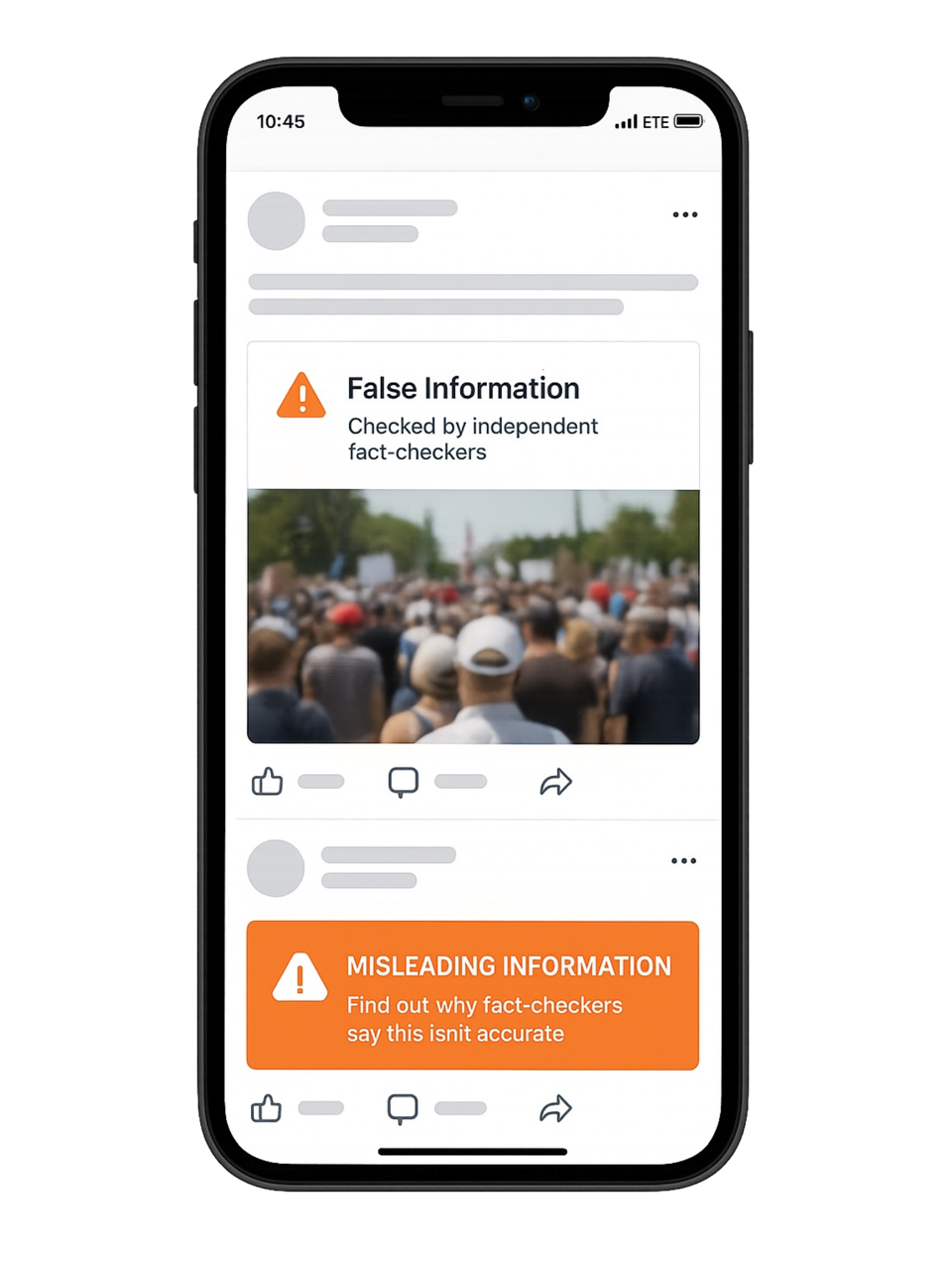
    Scrolling YouTube, Instagram, and social media feeds can start innocently — you search for one topic, but suddenly your feed is filled with shocking headlines, dramatic thumbnails, and videos that look like news. Many of these are misleading or outright fake. Learn how to spot fake news and protect yourself

    Why So Many Fake or Misleading Videos Exist

    1. Monetization Goals
      • Many creators earn money from ads, affiliate links, or sponsorships.
      • The more clicks, views, and watch time they generate, the more revenue they make.
    2. Clickbait Strategy
      • Sensational titles like “Breaking: Hidden Law Passed Overnight!” and flashy thumbnails are designed to grab attention, not tell the truth.
    3. Algorithm Pressure
      • YouTube, Instagram, and TikTok promote content that keeps you engaged.
      • The algorithm doesn’t measure accuracy — it measures watch time and interaction.
      • Once you click one dramatic video, the platforms feed you more of the same.

    The Real Goal of These Creators

    • Money through ad revenue and affiliate links.
    • Building influence or a large following — even at the expense of accuracy.
    • Driving traffic to external sites that may sell products or push agendas.
    • Occasionally, deliberate misinformation campaigns — but most creators are chasing clicks and income.

    How to Protect Yourself

    1. Check the Channel
      • Is it an official, verified outlet (AP, Reuters, BBC, PBS NewsHour)?
      • Beware of imitators that use similar names or logos.
    2. Look for Motive
      • Does every video use shocking thumbnails and red arrows?
      • Is the content always extreme or sensational? That’s a red flag.
    3. Cross-Check Claims
      • Don’t trust a single video as your only source.
      • Search the claim in Google News or verify with Snopes, PolitiFact, FactCheck.org.
    4. Notice Emotional Manipulation
      • If the video leaves you angry, scared, or overly hyped — pause.
      • Reliable news should inform you, not manipulate your emotions.
    5. Control Your Feed
      • On YouTube: click “Not Interested” or “Don’t Recommend Channel” to retrain your recommendations.
      • On Instagram: mute accounts or mark posts as “Not Relevant.”
      • This teaches the algorithm what you don’t want to see.

    Quick Rule of Thumb

    If a video makes a big claim but you can’t find it confirmed by a trusted outlet (AP, NPR, Reuters, BBC, or your local news), don’t believe it — and definitely don’t share it.


    Final Word

    YouTube and Instagram are entertainment platforms, not newsrooms. While they can be useful for learning and discovery, treat them as a starting point — not your final source of truth. Always confirm information with reputable outlets before believing or sharing.

    JOIN THE COMMUNITY

    Join our community to get insights, smart money tips, and tools to help you grow, protect, and elevate your life — one step at a time.

  • How to Spot Fake News and Verify Information Online

    How to Spot Fake News and Verify Information Online

    How to Spot Fake News and Verify Information Online

    In today’s world, misinformation spreads quickly across social media and group chats. It can be hard to know what’s real and what’s exaggerated or completely false. The good news is there are simple steps you can take to protect yourself — and your community — Tips for Spotting Fake Information Online.

    Here’s a practical guide to verifying news and information before you share it.


    Check the Source

    • Look at the “About Us” page: Is it tied to a recognized news organization, university, or government agency?
    • Check the domain: Websites ending in .gov or .edu are generally more reliable. Be cautious of domains that mimic real sites (e.g., abc-news.com.co).
    • Who’s behind it? If there’s no author listed or the outlet is unfamiliar, think twice.

    Cross-Reference the Story

    • Search the headline in Google News or Bing News. If only one obscure site is reporting it, be skeptical.
    • Look for trusted outlets such as AP, Reuters, NPR, or BBC, which typically confirm stories before publishing.
    • Avoid trusting screenshots — always click through to the original source.

    Check the Date and Context

    • Fake news often recycles old stories or images and presents them as new.
    • Use Google Reverse Image Search or TinEye.com to check if a photo has been reused.
    • Confirm the timeline — an old event might resurface and be mistaken for something current.

    Look for Evidence

    • Reliable reporting cites government reports, official statements, or court documents.
    • Be cautious of articles filled with emotional, sensational language (“shocking truth” or “what they don’t want you to know”).
    • If a claim sounds extreme, check a fact-checking site.

    Verify With Official Sources

    • Laws, regulations, elections: USA.gov
    • Health claims: CDC.gov or WHO.int
    • Local info: Always verify with your city, county, or state’s official website — not just social media posts.

    Pause Before Sharing

    Before you hit “share,” ask yourself:

    • Does this story confirm my personal beliefs a little too perfectly?
    • Have I checked at least 2–3 independent, reliable sources?
    • Is the headline sensational compared to the body of the article?

    Taking just 30 seconds can prevent false information from spreading further.


    Fact Check Resources


    Final Word

    Misinformation thrives on quick clicks and emotional reactions. By pausing, double-checking, and relying on reputable sources, you can protect yourself — and your community — from spreading fake news.

    JOIN THE COMMUNITY

    Join our community to get insights, smart money tips, and tools to help you grow, protect, and elevate your life — one step at a time.

  • Voter’s Handbook: Roles & Responsibilities of Elected Officials (Free Download)

    Voter’s Handbook: Roles & Responsibilities of Elected Officials (Free Download)

    The Voter’s Handbook

    Roles & Responsibilities of Elected Officials

    The Voter’s Handbook: Roles & Responsibilities of Elected Officials
    The Voter’s Handbook: Roles & Responsibilities of Elected Officials

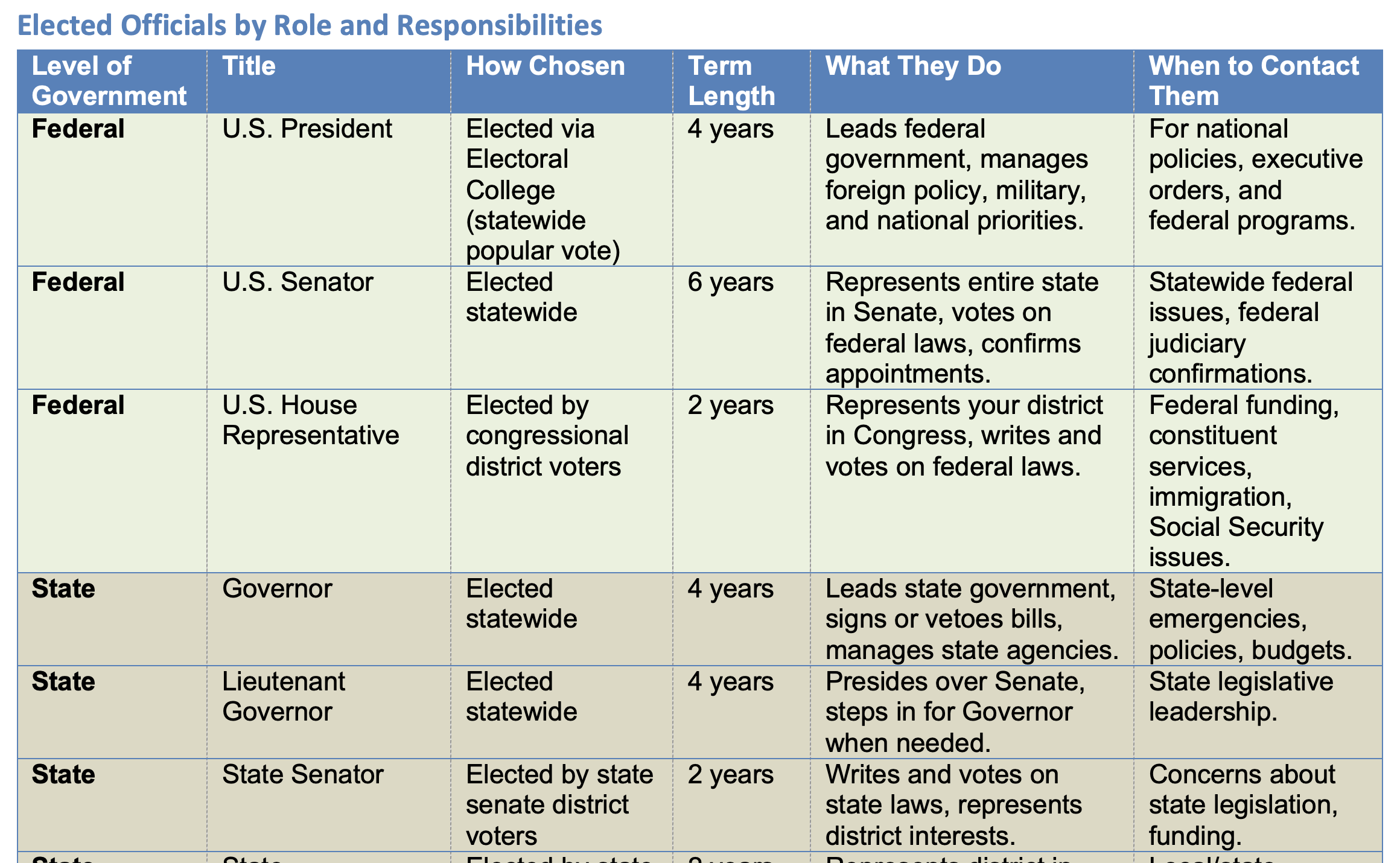
    This voter’s handbook provides a comprehensive overview of elected and key appointed officials at federal, state, county, city, judicial, and school district levels. It explains how each role is chosen, their term length, and primary responsibilities. There is also a generic list of trusted resources that anyone can use to find their elected officials at every level of government.


    Sample View:

    Looking for more resources?

    Visit our Tools & Resources hub for more free downloads.

    JOIN THE COMMUNITY

    Join our community to get insights, smart money tips, and tools to help you grow, protect, and elevate your life — one step at a time.